> For the complete documentation index, see [llms.txt](https://fish-networking.gitbook.io/docs/llms.txt). Markdown versions of documentation pages are available by appending `.md` to page URLs; this page is available as [Markdown](https://fish-networking.gitbook.io/docs/fishnet-building-blocks/components/utilities/bandwidthdisplay.md).
# BandwidthDisplay
The BandwidthDisplay component is a simple development GUI to show the bandwidth ingress and egress.
## Description
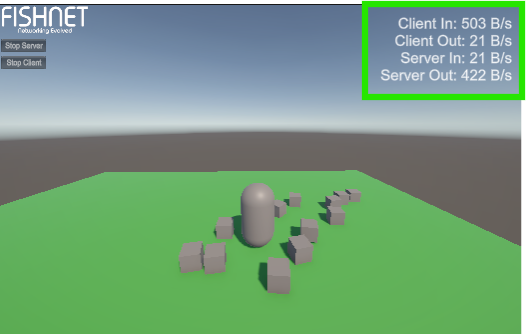
Using this component in combination with the [Statistics Manager](/docs/fishnet-building-blocks/components/managers/statisticsmanager.md) will show bandwidth being used by Fish-Networking.
Example of the BandwidthDisplay being used
## Settings
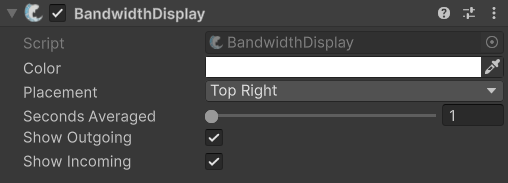
Default settings
### :gear: **Color**
> This is which color to display results as.
### :gear: **Placement**
> The **Placement** is in what part of the screen to display results.
### :gear: **Seconds Averaged**
> This is for the number of seconds used to gather data. Lower values will show more up to date usage per second while higher values provide a better over-all estimate.
### :gear: **Show Outgoing**
> When enabled, this will display the bandwidth used from data being sent. This can be changed at runtime with the [`SetShowOutgoing`](https://fish-networking.com/FishNet/api/api/FishNet.Component.Utility.BandwidthDisplay.html#FishNet_Component_Utility_BandwidthDisplay_SetShowOutgoing_System_Boolean_) method.
### :gear: **Show Incoming**
> When enabled, this will display the bandwidth used from data being received. This can be changed at runtime with the [`SetShowIncoming`](https://fish-networking.com/FishNet/api/api/FishNet.Component.Utility.BandwidthDisplay.html#FishNet_Component_Utility_BandwidthDisplay_SetShowIncoming_System_Boolean_) method.